Category: General Information
Return to Frequently Asked Questions Category List
What is the return policy?
The return policy can be found at: https://www.industrialsafetysolution.com/policies.php
What is the warranty?
Information about warranties can be found at: https://www.industrialsafetysolution.com/warranty.php
What are Labels with Gaps? What are Continuous roll labels?
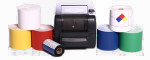
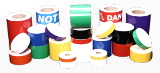
SafetyPro labeling materials come in two categories: Continuous Roll, and Die-Cut (also called Labels with Gaps). Continuous Roll materials are one long, continuous roll of vinyl that can be printed and cut to any size. There is no space or break in the labeling material. Examples are our Premium Vinyl, and Continuous Stripe.
Die-Cut labels, or Labels with Gaps, are pre-sized labels with a space between each label. Examples are our Arc Flash labels in 2x4 and 4x6, or our GHS labels in various pre-defined sizes.
Can I print on labels I bought somewhere else?
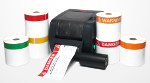
SafetyPro printers are not supply-locked, like other brands. Many of our customers will use up their existing label stock, before re-ordering from SafetyPro. However, if you have paper labels that are pre-printed but with no gap between the labels (such as the paper color bar labels you can purchase from various office supply sites), they will not work. These labels were designed for write-on applications, and have no marker or gap for the printer to align the label print. We encourage our customers to use up their label inventory, but we cannot guarantee the quality or functionality of labels purchased from other suppliers.
How do I clean the printer to improve print quality?
If you feel like your print quality could be better, you may need to clean your printer. You'll want to take a look at two things:
1. Make sure your vinyl is clean and free of dust. If your printer has been sitting for a long period of time, dust may have accumulated on your vinyl label stock. Any dust, finger oils, or particles on the vinyl will prevent the thermal resin ink from transferring properly. Lightly wipe the outside of the roll with a clean, dry cloth before loading it in the printer.
2. Make sure your print head is clean. Open the hood of the printer by using the two green release tabs on the sides, then lift the print hood. Under the front edge you'll see two metal prongs on either side; this is the print head. Open the ribbon cover on top of the printer, then remove the ribbon rewind spindle and set it down gently in front of the printer, to expose the print head. Clean the print head with cotton swabs and rubbing alcohol.